Evaluating 3D Blend Gradient Assets for Modern Design Projects
In the evolving landscape of digital and print design, the 3D Blend Gradient has emerged as a significant visual trend. This technique involves the seamless transition of multiple colors to create an illusion of depth, volume, and fluidity. Unlike traditional linear or radial gradients, a 3D blend utilizes complex mesh tools or gradient meshes within software like Adobe Illustrator to simulate lighting, shadow, and curvature on a two-dimensional plane. For designers evaluating assets for their next project, understanding the utility, technical requirements, and aesthetic impact of these backgrounds is essential for making informed decisions.
Understanding the Aesthetic and Technical Composition
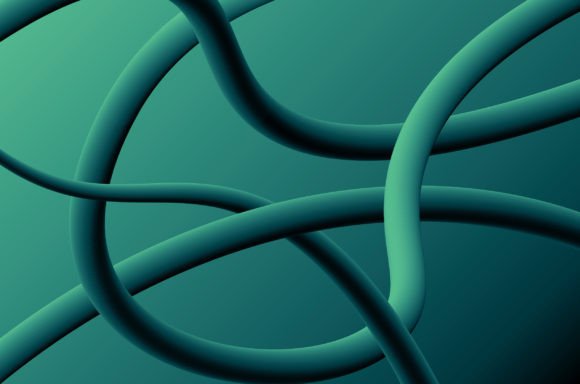
A 3D Blend Gradient background is characterized by its vibrant color interplay. A typical composition might feature a spectrum ranging from green and yellow to orange, purple, blue, and black. These colors do not merely sit next to one another; they merge organically to create a holographic or iridescent effect. The "3D" aspect refers to the visual perception of layers and depth achieved through careful manipulation of opacity and color stops.
From a technical standpoint, these designs are often distributed as vector files, specifically in the EPS10 format. This format is critical for professionals because it ensures compatibility across all series of Adobe Illustrator, from older legacy versions to the latest Creative Cloud releases. The vector nature of the file means the design is resolution-independent. Whether the final output is a massive billboard or a small mobile app icon, the gradient remains crisp without pixelation. Additionally, high-resolution JPEG previews are typically included to allow for quick visualization before the vector file is opened and edited.
Reasons to Integrate 3D Blend Gradients
Designers and brands often seek out these assets to modernize their visual identity. The primary reason for interest lies in the ability of these gradients to capture attention. In a digital environment saturated with flat design, a multi-colored, depth-rich background provides immediate visual intrigue.
Furthermore, the versatility of the color palette—spanning warm tones like orange and yellow to cool tones like blue and purple—allows for broad application. A designer can isolate specific color zones within the blend to match a brand's existing palette or use the full spectrum to convey diversity and energy. The inclusion of black in the gradient mix is particularly useful for adding contrast and grounding the brighter hues, preventing the design from appearing washed out.
Benefits and Practical Advantages
When evaluating whether to purchase or utilize a pre-made 3D Blend Gradient design, several benefits stand out:
- Time Efficiency: Creating a complex gradient mesh from scratch in Adobe Illustrator is time-consuming. It requires a deep understanding of anchor points, mesh tools, and color theory. Using a pre-designed EPS10 file allows creators to bypass the creation phase and focus immediately on layout and typography.
- Editability: Because the file is a vector, every element is editable. Users can shift color stops, adjust the intensity of the blend, or reshape the underlying geometry to fit specific compositional needs without losing quality.
- Scalability: As noted, the EPS10 format guarantees that the design scales infinitely. This is a crucial consideration for projects that require assets for both web (72 DPI) and print (300+ DPI) mediums.
- Professional Polish: High-quality blends often involve subtle nuances in shading that are difficult to replicate manually. Professionally crafted assets ensure a polished, studio-quality look.
Tradeoffs and Considerations
While the aesthetic appeal is strong, there are tradeoffs to consider when integrating these backgrounds into a project. The most significant consideration is visual hierarchy. A vibrant 3D blend containing green, yellow, orange, purple, and blue is inherently busy. If not managed correctly, it can compete with foreground elements such as text or product photography. Designers must evaluate whether the gradient serves as a supportive backdrop or if it overwhelms the core message.
Another factor is file complexity. Although EPS10 is widely supported, complex gradient meshes can increase file size and potentially slow down performance in older hardware or when placed within large InDesign documents. It is advisable to test the file in the intended workflow to ensure smooth rendering.
Additionally, while the color range is extensive, it may not align with every brand guideline. A company with strict monochromatic or dual-tone branding rules may find the multi-hued nature of a 3D blend difficult to adapt without significant modification, which could negate the time-saving benefit.
Ideal Use Cases
Certain scenarios make the 3D Blend Gradient a particularly strong fit. These include:
- Tech and Startup Branding: Companies in the SaaS, AI, or fintech sectors often use these gradients to convey innovation, fluidity, and forward-thinking dynamics.
- Event Marketing: Music festivals, art exhibitions, and creative conferences benefit from the energetic and celebratory feel of mixed-color blends.
- Packaging Design: For products aiming to stand out on shelves, such as cosmetics or beverages, the iridescent quality of a 3D blend can mimic physical effects like foil stamping or holographic printing at a lower cost.
- Social Media Campaigns: The eye-catching nature of these backgrounds performs well in scroll-heavy environments like Instagram stories or LinkedIn banners, where stopping the user's thumb is the primary goal.
When to Consider Alternatives
Despite their popularity, 3D blend gradients are not a universal solution. Alternatives should be considered in the following situations:
- Corporate Formality: Industries such as law, finance, or healthcare often require conservative, stable imagery. A chaotic mix of purple, orange, and green may undermine the trust and seriousness these sectors aim to project. Solid colors or subtle textures are often safer choices.
- Accessibility Concerns: If the design must adhere to strict WCAG (Web Content Accessibility Guidelines), the varying contrast levels in a complex gradient can make text readability difficult. A uniform background or a blurred, low-contrast alternative may be necessary to ensure content is accessible to users with visual impairments.
- Minimalist Requirements: Projects adhering to strict minimalist principles may find the depth and color variation of a 3D blend to be excessive. In these cases, flat design or single-tone gradients offer a cleaner aesthetic.
Making the Decision
Ultimately, deciding to incorporate a 3D Blend Gradient into your workflow depends on the specific goals of your project. If the objective is to create a dynamic, modern, and visually rich experience, and the technical environment supports vector editing via Adobe Illustrator, these assets offer immense value. The availability of EPS10 files ensures long-term usability and flexibility, while the inclusion of JPEGs facilitates easy previewing.
However, success relies on thoughtful implementation. Designers must balance the vibrancy of the gradient with the legibility of the content. By weighing the need for visual excitement against the requirements for clarity and brand consistency, creators can determine if this stylistic choice aligns with their strategic objectives. Whether used as a full-background canvas or a subtle accent, the 3D blend gradient remains a powerful tool in the modern designer's arsenal, provided it is applied with intention and precision.